
Which Portable Wi-Fi Hotspots Are Best for Travel?
The best portable Wi-Fi hotspots for travel are devices that combine reliable cellular connectivity, flexible data plans, sufficient battery life, and support for multiple devices. Options such as the NETGEAR Nighthawk M7, SIMO Solis Pro 5G, and GlocalMe Numen Air cater to different needs, from international vacations to remote work and family trips.
Travelers no longer need to depend entirely on hotel networks, airport Wi-Fi, or expensive international roaming packages. A compact mobile hotspot can provide internet access for smartphones, laptops, and tablets while traveling, provided a compatible cellular network is available.
However, not every portable hotspot works equally well in every destination. Some require a physical SIM card, others use virtual SIM technology or eSIMs, and certain devices are designed primarily for specific mobile carriers.
This guide explores the best portable Wi-Fi hotspots for international travel, their key features, practical limitations, and how travelers can choose the right device without paying for unnecessary connectivity.
What Is a Portable Wi-Fi Hotspot and How Does It Work?
A portable Wi-Fi hotspot is a compact device that connects to a cellular network and shares that internet connection with nearby Wi-Fi-enabled devices.
Unlike a conventional home router, a mobile hotspot generally operates using a SIM card, eSIM, or integrated cellular service. Once connected to a compatible mobile network, it creates a private Wi-Fi network that smartphones, tablets, and laptops can join.
For example, a family traveling through Europe can connect multiple phones and tablets to one hotspot rather than purchasing a separate international data plan for every device.
Learn More: Which Airlines Have Starlink Wi-Fi? Complete 2026 Guide
How Does a Portable Hotspot Connect to the Internet?
The process generally involves four steps:
- Network connection: The hotspot connects to an available cellular network using its supported technology.
- Data activation: A compatible SIM, eSIM, or provider-managed data package supplies internet access.
- Wi-Fi creation: The device broadcasts a private wireless network.
- Device connection: Travelers connect their phones, tablets, or laptops using the network password.
Actual performance depends on local network coverage, cellular technology, signal strength, and the purchased data allowance.
A hotspot cannot create cellular coverage where none exists.
What Is the Difference Between a Portable Hotspot and Phone Tethering?
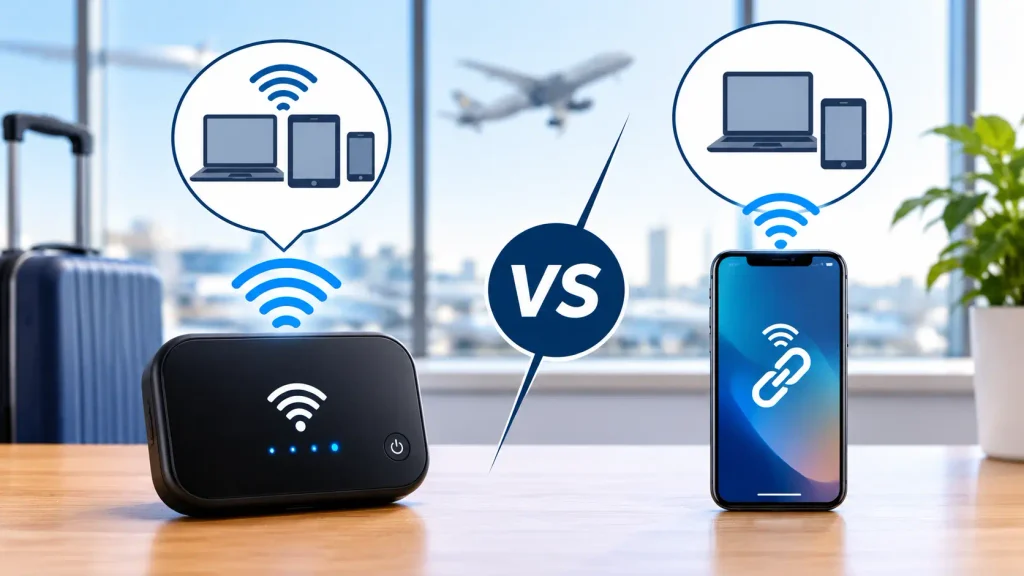
Both technologies share mobile data with other devices, but their practical advantages differ.
| Feature | Portable Wi-Fi hotspot | Smartphone hotspot |
| Internet source | Dedicated cellular modem and data plan | Phone’s cellular connection |
| Battery consumption | Uses a separate device battery | Drains the phone’s battery |
| Multiple connections | Designed for sharing with several devices | Supported, but limits vary |
| International use | Depends on device and plan compatibility | Depends on roaming or eSIM plan |
| Portability | Requires carrying an additional device | Uses an existing smartphone |
| Best suited for | Families, groups, laptops, remote workers | Solo travelers and occasional use |
A smartphone hotspot may be sufficient for a short trip, while a dedicated device becomes more attractive when several people need a shared connection throughout the day.
Which Portable Wi-Fi Hotspots Are Best for Different Travelers?
The best device depends on where the traveler is going, how much data is required, and whether convenience or technical flexibility matters most.
The following comparisons focus on device capabilities and use cases rather than temporary promotional prices. Coverage, plans, and specifications should be confirmed for the exact model and destination.
| Portable hotspot | Best for | Main advantage | Main consideration |
| NETGEAR Nighthawk M7 | Frequent travelers and remote workers | 5G, Wi-Fi 7, SIM and eSIM flexibility | Higher upfront device cost |
| SIMO Solis Pro 5G | International travel | Convenient provider-managed global connectivity | Data packages can increase total cost |
| GlocalMe Numen Air | Multi-country itineraries | CloudSIM connectivity and flexible service options | Coverage and plans vary by country |
| NETGEAR Nighthawk M6 | Travelers using their own SIM | Strong networking features and Wi-Fi 6 | Cellular band compatibility must be checked |
| SIMO Solis Lite | Casual international travelers | Straightforward setup without a conventional SIM swap | 4G performance and plan limitations |
| GL.iNet Mudi 7 | Technical users and business travelers | Advanced networking, VPN features, and SIM/eSIM options | More complex configuration |
Why Is the NETGEAR Nighthawk M7 a Strong Choice for Frequent Travelers?
The NETGEAR Nighthawk M7 is a premium portable hotspot designed for travelers who want modern cellular connectivity and greater flexibility when selecting mobile data services.
Its support for 5G, Wi-Fi 7, and both physical SIM and eSIM connectivity makes it particularly useful for frequent travelers who move between destinations.
What Are the Key Features of the Nighthawk M7?
- 5G and 4G cellular connectivity.
- Wi-Fi 7 wireless networking.
- Physical SIM and eSIM support.
- Connectivity for up to 32 Wi-Fi devices.
- Manufacturer-rated battery life of up to 10 hours.
- Access to compatible international data plans.
The device is particularly suitable for travelers carrying several connected devices, including laptops, tablets, and smartphones.
For example, a remote worker moving between hotels and coworking spaces can use the Nighthawk M7 as a dedicated internet connection rather than repeatedly configuring different public Wi-Fi networks.
What Are the Advantages and Limitations?
Advantages: Modern wireless technology, flexible SIM options, and strong multi-device support.
Limitations: A relatively high purchase cost and the need to verify cellular bands and data-plan availability for each destination.
The Nighthawk M7 is best suited to frequent travelers who can justify its premium features through regular use.
Is the SIMO Solis Pro 5G Good for International Travel?
The SIMO Solis Pro 5G is an attractive option for travelers who want internet access across multiple countries without routinely purchasing and installing local SIM cards.
It uses SIMO’s managed connectivity system to access supported partner networks, simplifying setup for international journeys.
What Makes the Solis Pro 5G Useful?
The device is designed around convenience, particularly for travelers visiting several destinations during one trip.
Its notable benefits include:
- 5G connectivity where supported.
- International coverage through participating networks.
- Multiple-device Wi-Fi sharing.
- Provider-managed data packages.
- A compact design suitable for travel.
A traveler visiting France, Italy, and Spain may find this approach easier than researching a different local SIM card for each destination.
However, the availability of 5G service and the cost of data packages depend on the destination.
Who Should Consider the SIMO Solis Pro 5G?
The Solis Pro 5G is particularly useful for families, frequent international travelers, and people who prioritize a simpler setup over manually selecting mobile carriers.
Before purchasing, travelers should compare the provider’s country-specific packages and determine whether their expected data usage makes the device economical.
How Does the GlocalMe Numen Air Support Multi-Country Travel?
The GlocalMe Numen Air is designed for travelers who want international connectivity without depending exclusively on a traditional physical SIM card.
Its CloudSIM technology allows the device to access supported mobile networks through GlocalMe’s connectivity services.
What Are the Main Benefits of GlocalMe Numen Air?
The Numen Air offers several travel-oriented advantages:
- 5G connectivity in supported locations.
- CloudSIM-based mobile internet access.
- Flexible data packages for different destinations.
- Support for multiple connected devices.
- A portable design for business trips and vacations.
Some Numen Air configurations also support a physical SIM, offering an alternative to provider-managed data services.
Travelers should check the exact device variant before relying on this feature.
Is GlocalMe Suitable for Frequent International Trips?
Yes, particularly when the traveler values convenient network access across several destinations.
However, the device’s advertised global reach should not be confused with guaranteed service everywhere.
Coverage, network technology, and package pricing may differ considerably between countries.
A traveler visiting major European cities may experience different connectivity conditions from someone visiting remote islands or mountain regions.
Recommended Reads: Avianca Review: Seats, Baggage, Fees, Wi-Fi & LifeMiles
Is the NETGEAR Nighthawk M6 Still Worth Considering?
The NETGEAR Nighthawk M6 remains a practical choice for travelers who prefer to use their own compatible mobile carrier or local SIM card.
Although newer devices offer more advanced Wi-Fi standards, the M6 provides capable 5G connectivity and Wi-Fi 6 networking.
What Features Does the Nighthawk M6 Offer?
Depending on the exact model, the Nighthawk M6 offers:
- 5G cellular connectivity.
- Wi-Fi 6 networking.
- Support for up to 32 connected devices.
- A physical SIM card slot.
- A removable battery.
- An Ethernet connection.
- Manufacturer-rated battery life of up to 13 hours.
The Ethernet option may be especially valuable for travelers who need a wired connection for certain devices.
When Is the Nighthawk M6 a Better Choice Than the M7?
The M6 may be a reasonable choice when it is available at a lower price and the traveler does not need Wi-Fi 7 or integrated eSIM features.
However, cellular frequency compatibility is essential.
A device purchased for one country’s mobile networks may not support all the frequency bands used by carriers in another destination.
Travelers should confirm the precise model number and network compatibility before purchasing.
Is the SIMO Solis Lite a Good Budget-Friendly Travel Hotspot?
The SIMO Solis Lite is a practical option for travelers who want a straightforward portable Wi-Fi device without advanced networking features.
It is designed to connect through SIMO’s managed mobile data service, reducing the need to purchase and replace physical SIM cards when crossing borders.
Why Might Travelers Choose the Solis Lite?
The device focuses on essential travel connectivity rather than maximum network speeds.
Its benefits include:
- Convenient international data activation.
- 4G LTE connectivity in supported locations.
- Wi-Fi sharing for several devices.
- A relatively simple setup process.
- A portable, travel-friendly design.
The Solis Lite can be useful for checking maps, messaging family members, browsing websites, and handling everyday travel arrangements.
What Are Its Limitations?
Because the Solis Lite uses 4G LTE rather than 5G, it may be less suitable for travelers who need consistently high bandwidth.
Actual speeds still depend on local network conditions.
Additionally, travelers should compare the cost of SIMO data packages with local SIM cards and travel eSIMs. A less expensive hotspot device does not necessarily mean lower total connectivity costs.
Why Might the GL.iNet Mudi 7 Appeal to Business Travelers?
The GL.iNet Mudi 7 is designed for travelers who want more control over their mobile network, including advanced router settings and VPN capabilities.
Unlike simpler hotspots that emphasize automatic connectivity, the Mudi 7 offers networking features that may appeal to experienced users.
What Makes the Mudi 7 Different?
Its key attractions include:
- 5G cellular connectivity.
- Wi-Fi 7 support.
- Physical SIM and eSIM options.
- VPN-related networking features.
- Greater control over router settings.
- Flexible connectivity configurations.
For example, a business traveler using several work devices may appreciate the ability to manage a dedicated network with more customizable security settings.
However, VPN compatibility does not automatically guarantee privacy or unrestricted internet access in every country.
Is the Mudi 7 Suitable for Beginners?
It can be used by beginners, but its advanced features are most valuable to travelers comfortable configuring network settings.
Someone who simply wants to check email and use navigation apps may prefer a more straightforward hotspot.
For travelers who understand mobile networking and want additional control, the Mudi 7 can be a compelling alternative.
What Features Should Travelers Look for in a Portable Wi-Fi Hotspot?
The most important features are cellular coverage, data-plan flexibility, battery life, device compatibility, and the total cost of ownership.
A hotspot with impressive advertised speeds may be less useful than a simpler device with affordable coverage at the actual destination.
How Important Is International Network Coverage?
International coverage is one of the first factors travelers should evaluate.
A device advertised as supporting numerous countries may still have limited partner networks or reduced speeds in particular destinations.
Before choosing a hotspot, travelers should verify:
- Whether the destination is supported.
- Which local networks are available.
- Whether 4G or 5G service is offered.
- Whether the device supports the relevant cellular frequency bands.
- Whether the purchased plan includes the entire itinerary.
For example, a hotspot may provide excellent service in central London but have weaker coverage in rural parts of Scotland.
The quality of the local cellular network matters as much as the device itself.
How Much Battery Life Does a Travel Hotspot Need?
A portable hotspot should ideally last long enough to cover the traveler’s typical daily activities.
| Battery life | Suitable usage |
| Around 4–6 hours | Short outings and occasional connectivity |
| Around 8–10 hours | Sightseeing, airport transfers, and regular daytime use |
| Around 12–16 hours | Longer travel days and extended remote work |
| More than 16 hours | Specialized devices or battery-assisted setups |
These are general planning categories, not guaranteed performance figures.
Actual battery life depends on signal strength, the number of connected devices, data activity, and whether the hotspot uses 4G or 5G.
A device working in an area with weak reception may consume more power while maintaining its cellular connection.
Is 5G Better Than 4G for Travel?
5G can offer faster speeds and lower latency than 4G, but it is not automatically the better option for every traveler.
For messaging, navigation, browsing, and email, a stable 4G connection may be sufficient.
Travelers who regularly upload large files, conduct video meetings, or use several devices simultaneously may benefit more from 5G.
However, a 5G-capable hotspot will still depend on available network coverage and the data plan’s restrictions.
How Many Devices Should a Portable Hotspot Support?
The ideal number depends on the travel group.
A solo traveler may need connectivity for only a phone and laptop. A family of four might want to connect several phones, tablets, and other devices simultaneously.
Although some premium hotspots support more than 30 connected devices, that capacity does not mean all devices will receive equally fast internet.
The available cellular bandwidth is shared among active users.
Does the Hotspot Need a Touchscreen?
A touchscreen can simplify setup, data monitoring, and network management, but it is not essential.
Some devices rely on mobile apps or web-based management interfaces.
Travelers should consider whether they prefer controlling the hotspot directly or managing it through a smartphone.
For occasional users, a simple interface may be more valuable than advanced configuration options.
How Much Does Portable Wi-Fi Cost for International Travel?
Portable Wi-Fi costs depend on the device price, data allowance, destination, duration of use, and service provider.
Some travelers purchase a hotspot outright and pay for data separately. Others rent a device for a particular trip.
What Are the Main Costs?
| Cost component | What travelers should consider |
| Device purchase | One-time cost of buying the hotspot |
| Data package | Daily, monthly, or usage-based charges |
| International coverage | Country-specific or regional pricing |
| Speed restrictions | Possible reduced speeds after certain data limits |
| Rental charges | Daily rental fee and potential delivery costs |
| Additional fees | Taxes, deposits, or other service charges |
Travelers should compare the total cost for their expected trip rather than choosing a device based solely on its advertised purchase price.
Are Unlimited Hotspot Data Plans Really Unlimited?
Not always in terms of full-speed data.
Some plans marketed as unlimited allow continued internet access after a specified threshold but reduce speeds under a fair-use policy.
Others may impose network management restrictions during congestion.
For example, a plan could permit continued messaging after its high-speed allowance is exhausted while making video streaming or large downloads considerably slower.
Travelers should review the high-speed allowance, throttling rules, and hotspot-sharing restrictions before purchasing.
Is It Cheaper to Buy or Rent a Portable Hotspot?
Buying is generally more attractive for frequent travelers, while renting may make sense for a short trip.
A traveler taking several international trips each year may benefit from owning a device and purchasing data only when needed.
Someone taking a single weeklong vacation may find that a rental or travel eSIM offers better value.
The best choice depends on the full cost of the service, not just the equipment.
Is a Portable Wi-Fi Hotspot Better Than an International eSIM?
A portable hotspot is often more useful for sharing one connection across multiple devices, while an international eSIM may be simpler for solo travelers with compatible smartphones.
Neither option is universally better.
| Factor | Portable hotspot | Travel eSIM |
| Extra equipment | Usually required | Not required |
| Setup | Device and data activation | Installation on compatible phone |
| Sharing internet | Designed for multiple devices | Depends on tethering permissions |
| Battery impact | Uses its own battery | Uses smartphone battery |
| Data cost | Depends on provider and package | Depends on provider and package |
| Best for | Families, groups, laptops | Solo travelers and light users |
When Is an eSIM the Better Choice?
An eSIM may be preferable when the traveler:
- Has a compatible, unlocked smartphone.
- Needs internet primarily on one device.
- Wants to avoid carrying extra equipment.
- Can find a suitable destination-specific plan.
- Does not need to share data extensively.
For example, a solo traveler spending five days in Paris may find a travel eSIM easier than purchasing a separate mobile hotspot.
When Is a Portable Hotspot the Better Choice?
A dedicated hotspot becomes more appealing when multiple people need to share internet access.
It may also be useful for travelers carrying laptops or tablets that cannot directly use a cellular eSIM.
However, a shared hotspot has one important limitation: everyone must remain within its Wi-Fi range to use the connection.
If a family separates into different sightseeing groups, a single shared hotspot will not keep everyone connected.
Can Travelers Use Portable Wi-Fi on Airplanes?
A portable cellular hotspot generally cannot be used to establish its own mobile data connection during a flight.
Airlines restrict cellular transmissions during flight, and travelers must follow the carrier’s instructions regarding electronic devices and airplane mode.
A hotspot is not a substitute for the aircraft’s onboard Wi-Fi service.
Can a Portable Hotspot Be Packed in Carry-On Baggage?
Most small, battery-powered mobile hotspots can be transported in carry-on baggage, subject to airline and aviation battery safety requirements.
Devices with lithium-ion batteries should be protected against damage and accidental activation.
Spare lithium batteries and power banks generally belong in carry-on baggage rather than checked luggage.
Travelers should check the battery’s watt-hour rating and the airline’s specific restrictions before departure.
Don’t Miss: What Are the Must-Have Carry-On Travel Essentials for Flight?
Will a Hotspot Work Immediately After Landing?
A compatible hotspot may connect to a supported cellular network after landing, once its use is permitted and the device has been activated.
However, connectivity is not guaranteed.
The traveler must have an active data plan, compatible cellular bands, and adequate network coverage.
For international arrivals, purchasing or activating a suitable plan before departure can help reduce delays after landing.
How Can Travelers Keep Their Portable Wi-Fi Connection Secure?
A portable hotspot can provide a private wireless network, but it is not automatically immune to security risks.
Travelers should configure basic protections before using the device for work, payments, or personal communications.
What Security Settings Should Be Enabled?
- Strong Wi-Fi password: Replace any weak default credentials.
- Modern encryption: Use WPA3 where supported, or WPA2-AES when necessary.
- Firmware updates: Install security updates from the device manufacturer.
- Administrator password: Protect the hotspot’s management interface.
- Connected-device monitoring: Review which devices are using the network.
- VPN protection: Consider a reputable VPN when appropriate for the traveler’s security needs.
A private hotspot can reduce reliance on unfamiliar public Wi-Fi networks, but users should still exercise caution when accessing sensitive information.
What Common Mistakes Should Travelers Avoid When Buying a Hotspot?
Choosing a portable hotspot without checking the destination’s network requirements can lead to unnecessary expenses or unreliable connectivity.
Some common mistakes include:
- Ignoring cellular band compatibility: A device may support 5G but not the frequencies used by a local carrier.
- Comparing device prices alone: An inexpensive hotspot may require costly data packages.
- Assuming global coverage is universal: Advertised country coverage does not guarantee connectivity everywhere.
- Overlooking speed restrictions: Some plans reduce speeds after a specified usage threshold.
- Choosing insufficient battery life: Long sightseeing days may require a larger battery or portable charger.
- Buying more technology than necessary: A solo traveler may not need an expensive Wi-Fi 7 hotspot.
- Forgetting about device sharing: A single hotspot cannot serve travelers who move beyond its Wi-Fi range.
Comparing actual travel requirements with the device’s capabilities can help avoid these problems.
Conclusion
The best portable Wi-Fi hotspot depends on the traveler’s destination, internet usage, number of connected devices, and preferred data-plan arrangement.
The NETGEAR Nighthawk M7 stands out for travelers seeking advanced connectivity and SIM flexibility. The SIMO Solis Pro 5G and GlocalMe Numen Air are useful options for international trips where convenient data activation matters. Meanwhile, the Nighthawk M6 and SIMO Solis Lite remain worth considering for travelers with more specific requirements or modest connectivity needs.
However, purchasing a dedicated hotspot is not always necessary. Solo travelers with compatible smartphones may find an international eSIM more economical and convenient.
Before selecting a device, travelers should compare network coverage, cellular compatibility, battery life, data allowances, and total trip costs. The right portable hotspot is ultimately the one that provides practical, dependable connectivity where the traveler actually needs it.
Frequently Asked Questions
The NETGEAR Nighthawk M7 is a strong premium option for travelers who want 5G, Wi-Fi 7, and flexible SIM connectivity. SIMO Solis Pro 5G and GlocalMe Numen Air are appealing alternatives for travelers who prefer managed international data services.
No. Coverage depends on the device’s cellular bands, supported networks, and data plan. Travelers should verify destination compatibility before purchasing or activating a hotspot.
Yes. Some devices use eSIM or provider-managed virtual SIM technology instead of requiring travelers to insert a physical SIM card. An active compatible data service is still necessary.
Not necessarily. Some devices support prepaid data packages, day passes, or pay-as-you-go services. Others require a carrier subscription. Payment arrangements depend on the provider and device.
Yes. Many portable hotspots support multiple simultaneous connections. However, all connected devices share the available cellular bandwidth, and users must remain within Wi-Fi range.
It can be, particularly when the hotel network is congested. However, a hotspot may perform worse if local cellular coverage is weak. Neither connection type guarantees superior speeds.
Some devices can provide temporary or backup home internet, especially where cellular coverage is strong. However, data limits, performance, and ongoing costs may make dedicated home broadband more practical.
Only where a compatible cellular network is available. Conventional mobile hotspots cannot connect independently in locations without cellular coverage. Satellite internet equipment may be more appropriate for certain remote environments.
Passengers may use a portable hotspot during road trips where cellular service is available. Coverage may fluctuate as the vehicle moves between network areas. Drivers should avoid operating or adjusting devices while driving.
A properly secured hotspot can provide a private connection suitable for accessing online services. Travelers should use encrypted websites, strong authentication, updated devices, and appropriate security precautions.
Yes. A 4G hotspot may provide sufficient performance for navigation, email, messaging, and routine browsing. Travelers who need higher bandwidth or advanced networking features may prefer a compatible 5G model.
Battery life varies by device, cellular conditions, and usage. Some devices last only several hours, while others are rated for approximately 10 to 16 hours or longer under specified conditions.